Learnings after a week of building a game simulation
As a fun experiment, I worked on building an air defense simulation using Opus 5.5. The goal was to create a real-time simulation of air defense. The simulation should be more realistic than video games, but its visuals could be more spectacular than real life. In my head this was going to be a game, but I couldn’t figure out a reasonable control mechanism for a realistically sized game that doesn’t involve looking at abstracted maps.l
This wasn’t a one-shot. It took a week of iterating, 117 Claude Code sessions and 102 merged PRs, but the project was short enough that I didn’t worry much about the code itself. The result is far from perfect. Below is what worked well, what didn’t, and what it cost.
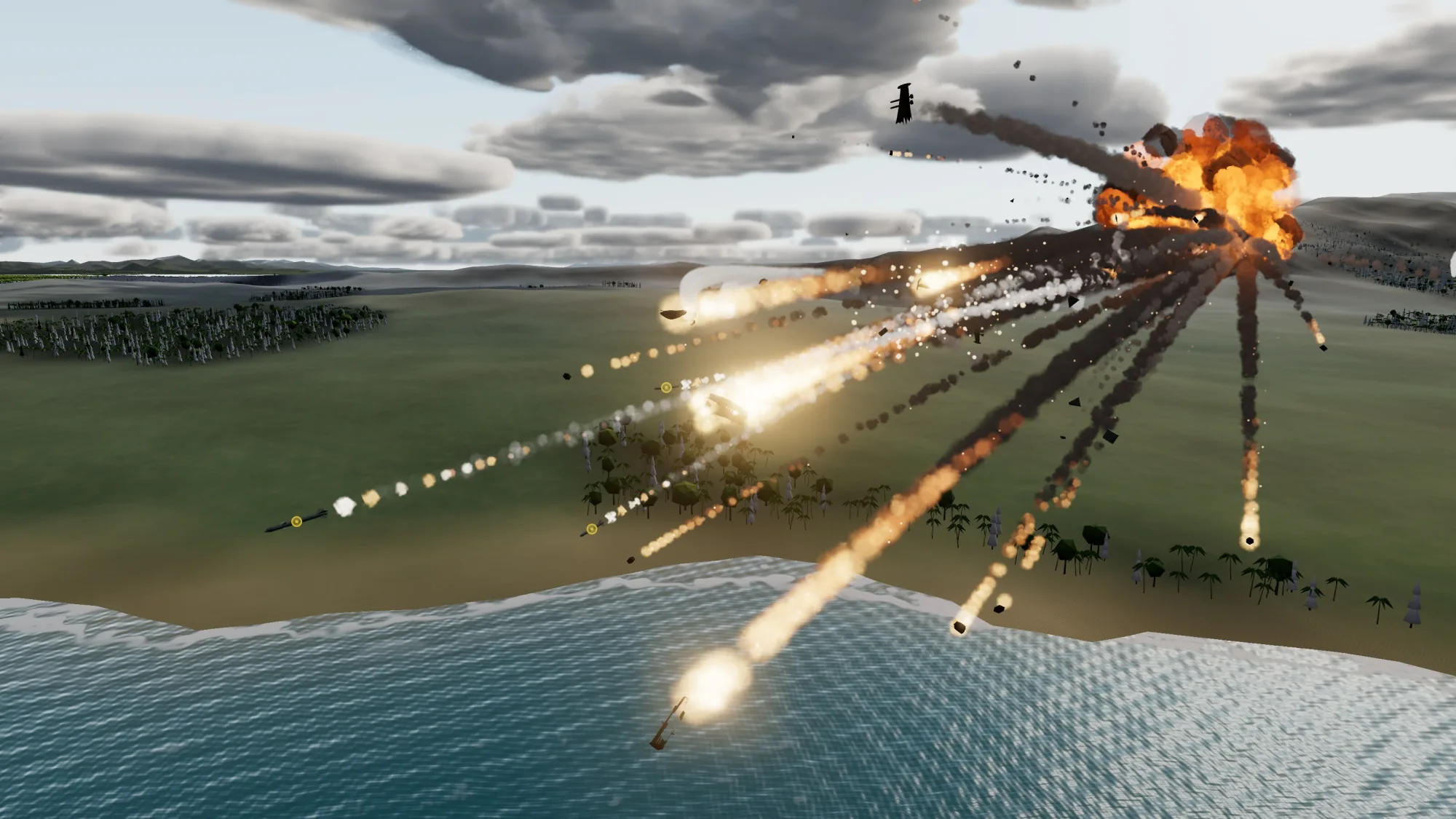
You can see the final result here. You can see the majority of the claude code sessions to produce it here.
Setup
Here’s what I used (some of these were for experimentation):
- Opus 5.5 for all coding.
- GPT-6.1 Sol, through Codex, for work that Opus 5.5’s safeguards flagged as abuse.
- Cursor’s Bugbot for code review. It reviewed 66 of the 102 PRs.
- Meshy AI, through its MCP server, for model generation.
- Nano Banana Pro, through Meshy’s image-to-image tool, for generating images.
Interesting Sessions
Starting Prompt
I only started with a rough idea in my head:
Build a three.js simulation of air defense of a plains with some forests on the edge. The defends are using gattling guns, homing and non-homing vehicles and radar vehicles. The aircraft being targeting are drones, airplanes and helicopters (transport and attack variants). They should be performing evasive maneuvers with flares to evade missiles. Have realistic scale of vehicle sizes and attack ranges. – Starting Prompt
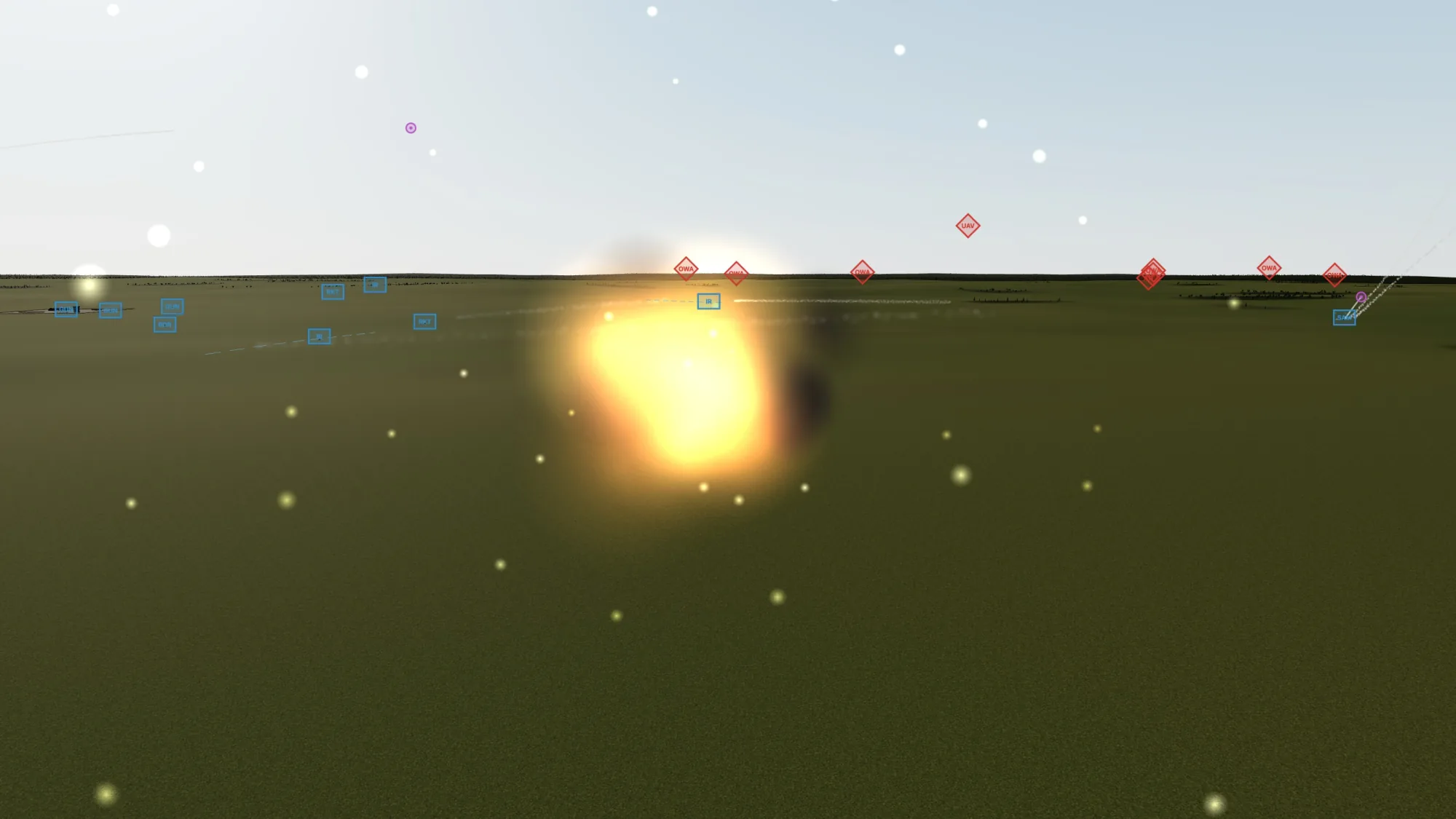
It generated a great basis to iterate on and there was a lot of iteration. This was using Opus 5.5 high effort. It did generate programmatic models that were “sufficient” to get started. They’re relatively low poly, but have enough silhouette to be recognizable.
Obviously we got something to start molding into shape. The second session went into much more detail. The prompt is too long to quote here, so see the Session 2 Prompt.
Copying Effects
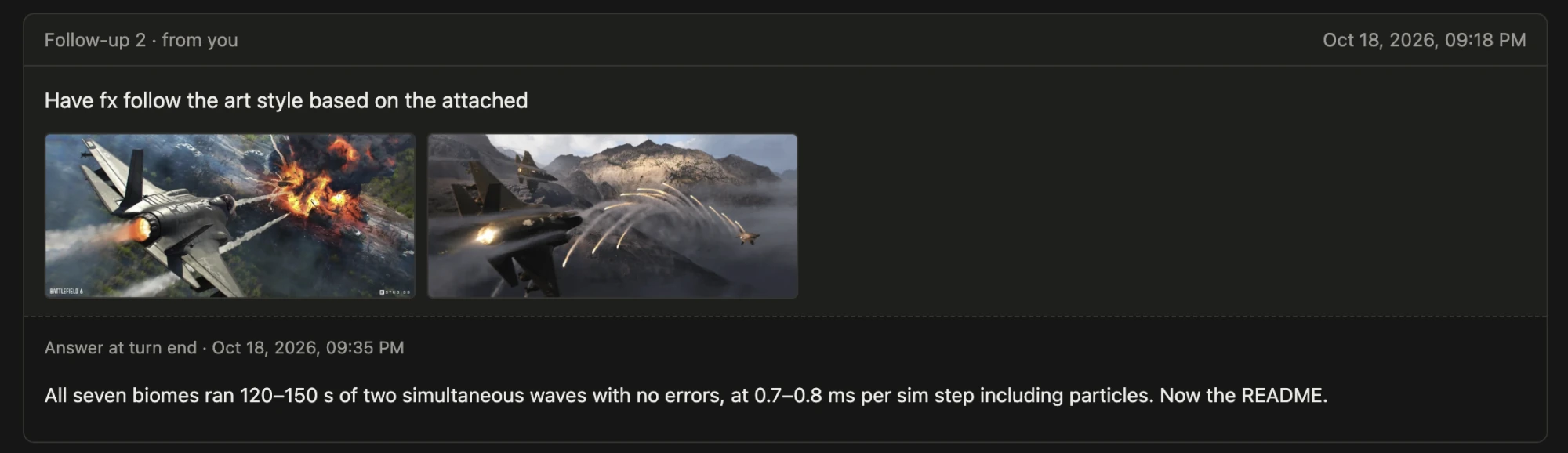
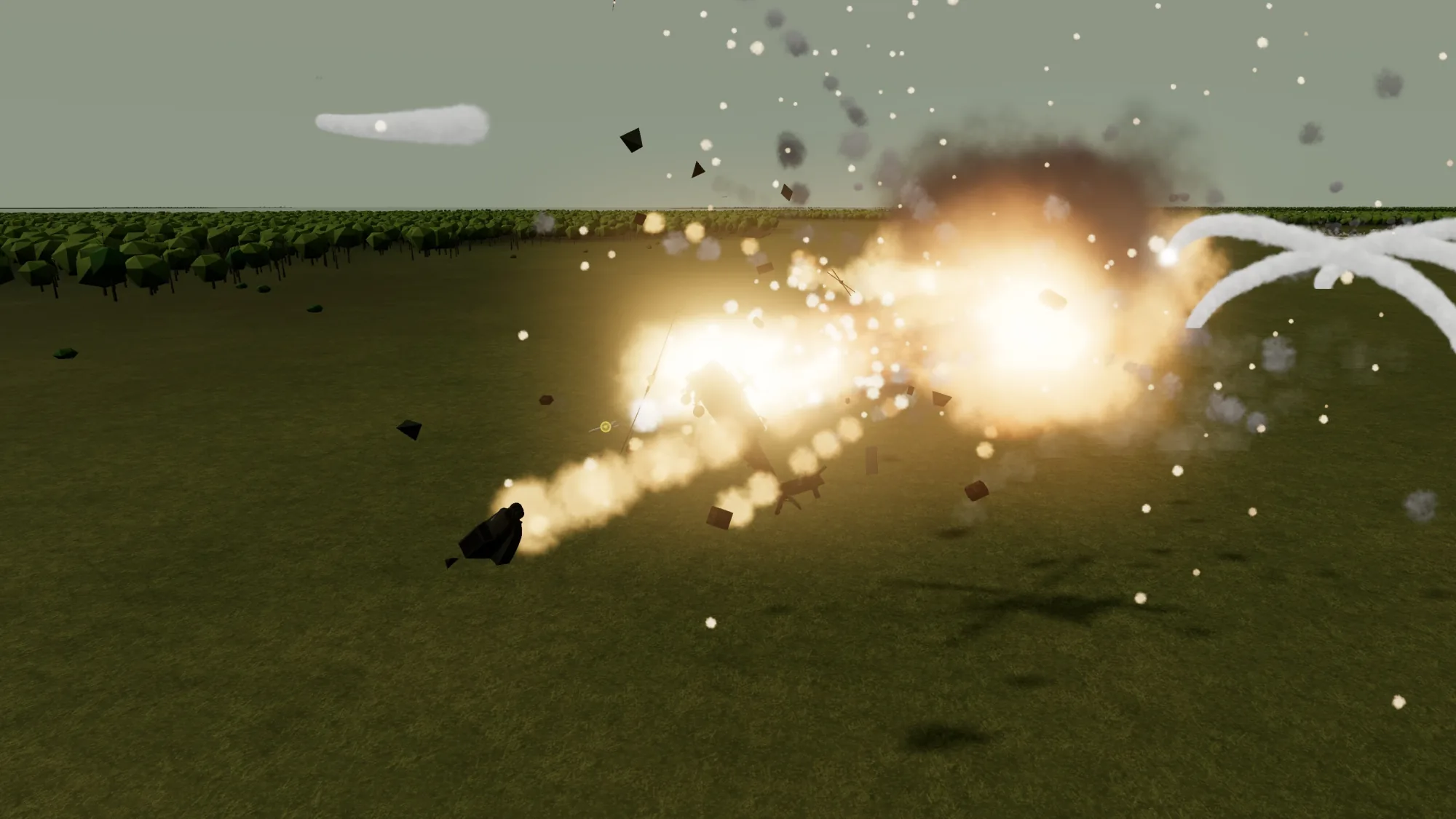
I was trying to tweak the particle systems for missile exhaust, flares, and burning aircraft. Attaching promotional screenshots from Battlefield 6 was enough to improve them, but it didn’t produce an exact copy. (Session)
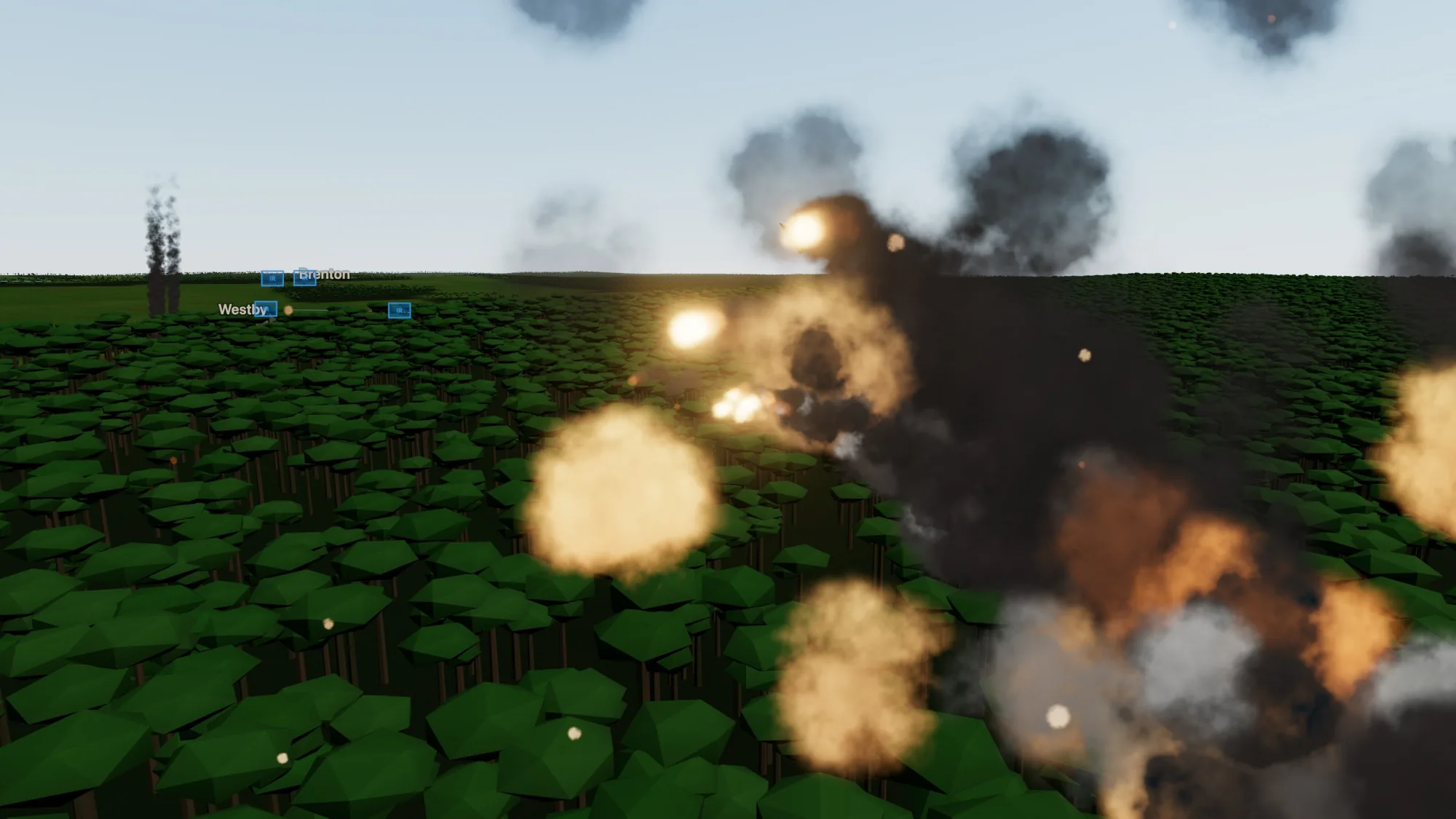
This pushed the particle effects towards the reference screenshots, but didn’t fundamentally copy them. I’m guessing Claude downsamples images to a fairly low resolution.
One-shot Performance Improvements
If Claude has a way to measure performance automatically, a simple prompt is enough:
Improve the runtime performance. Ask questions if there are visual impacts. – Session.
Claude added timing hooks to the frame loop, profiled it, and built a seeded benchmark so it could compare against a clean copy of the old build. The biggest costs were particle updates and three.js matrix updates. A full daytime battle at 4× speed went from 22 fps to 60 fps, and a night battle went from 25 fps to 60 fps. The questions it asked were about visual tradeoffs. It cut the night light pool from 12 lights to 6 and added a Hi-res toggle.
Meshy to generate models is surprisingly good
After setting up Meshy, a basic prompt was straightforward:
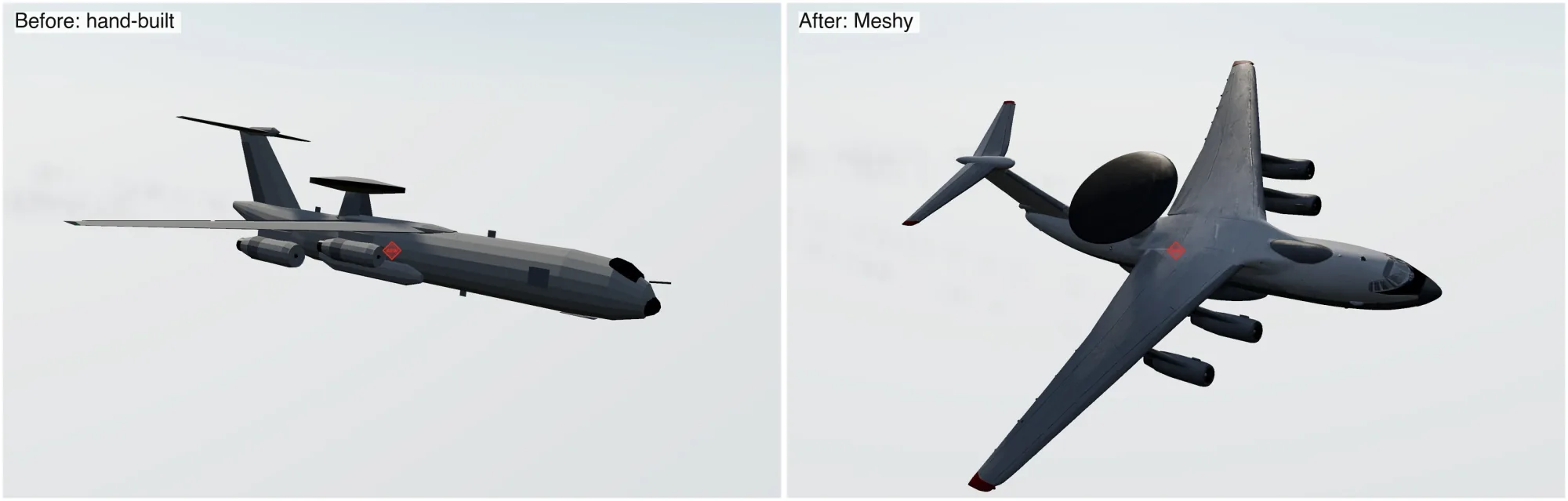
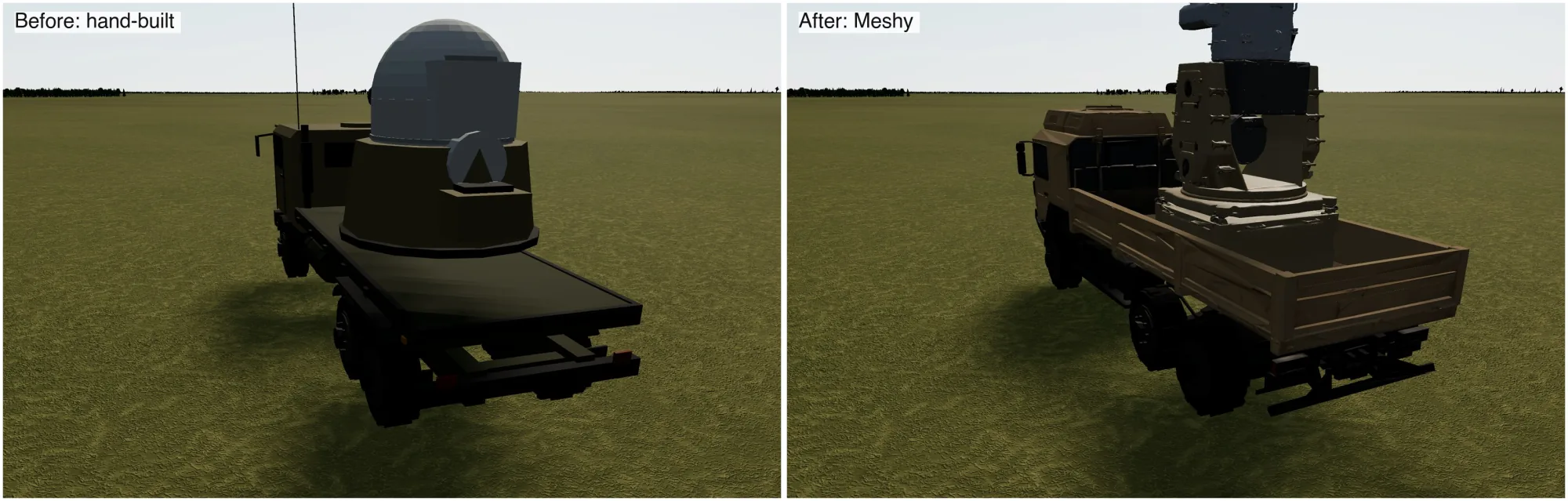
Update the air superiority fighter: use Meshy to generate the model and texture. Also, use it to generate the destroyed and damaged assets as well. Find reference images as needed. – Session
Also make sure the meshes don’t get “wrinkly”. – Session
It’s surprisingly good at doing the work normally done by a 3D artist. It’s far from perfect if the model needs animating, but for simple static models, it works well. The downside is that the models were sliced up (turrets separate from the base), so visual consistency wasn’t maintained across the models. Creating a damaged model for all vehicles was painless (if not perfect).
Meshy’s weakest part leads to the next section…
Custom Tooling
One weakness is Meshy’s built-in tools for reducing triangles. Fortunately, we can have Opus build some custom tooling to do this better based on some requirements we want:
Write a script that can optimize meshes from meshy while preserving its silhouette and shape. Assume vehicle-shapes (mostly angular / boxy for ground vehicles, smoothed shapes for missiles and aircraft). Use that to optimize meshes instead of using meshy since it produces a lot of artifacts. – Session.
It’s not as efficient at reducing triangles as Meshy, but it does avoid graphical artifacts that Meshy sometimes produces. One example is the Humvee’s bumper. On the full-detail Avenger, a Humvee-based air defense vehicle, the script went from 2.4 million triangles to 17,700 while the outline moved 0.04%. It’s slow, though. A run takes about 2 minutes and 1.5 GB of memory.
Volumetric Clouds
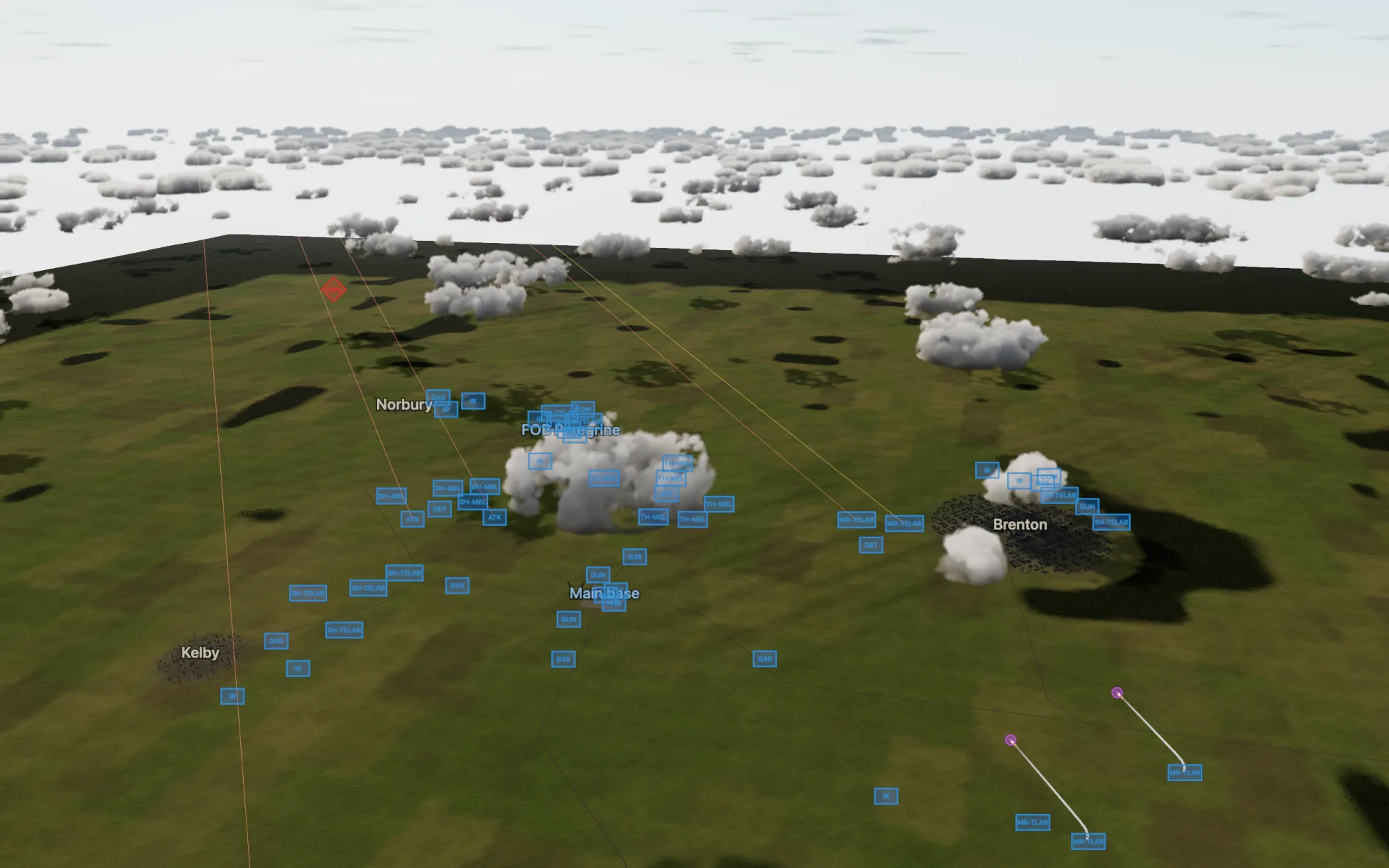
Getting realistic volumetric clouds just took asking Claude to research how flight sims do it. It was surprisingly effective and required just a few tweaks to make it performant.
Research how to make realistic cloud for games (prefer flight simulators, air combat sims, etc). Implement that in this game. Also look into how to make them cast realistic shadows on the ground without hurting performance significantly – Session.
Animated Particles
Three noteworthy things about animated particles:
- Nano banana is great at generating sprite sheets for animated particles. It was able to generate a lot of different variations of the same effect, which is great for particle effects.
- Claude can slice the sprite sheets into a grid for use in the particle system.
- Using sprite sheets for reference animation is a bit mixed. For smoke, Claude skipped the image model because it can’t keep each lobe consistent from one frame to the next. It baked its own flipbook instead, rendering 3D smoke in headless Chromium. That looked great inside big clouds, but lone puffs read as “black grapes, beads or billiard balls”. I moved chaff and forest-fire smoke back to the old particles.
Make explosions look like this:
– Session
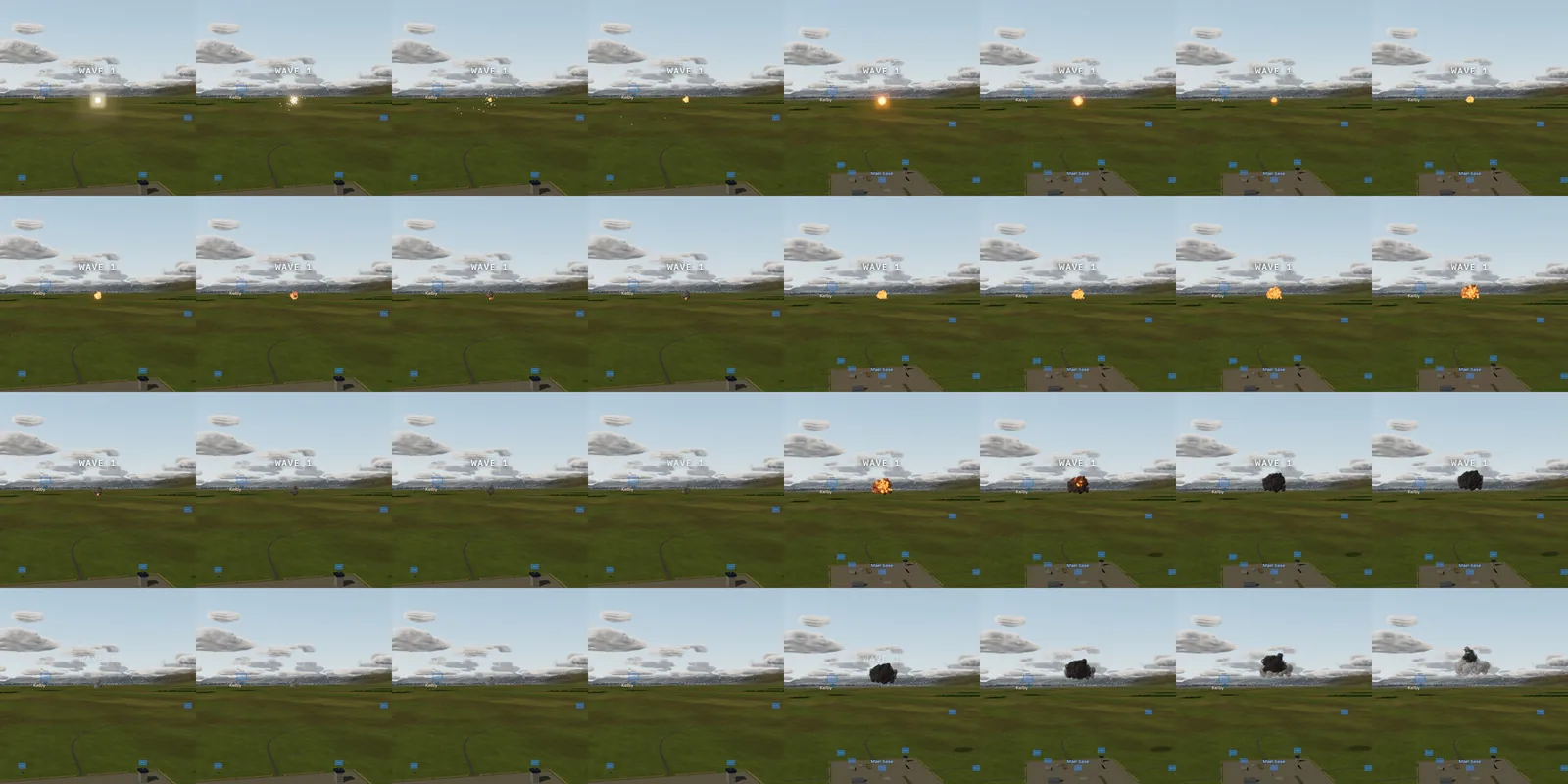
Mimic video footage
Here I took a YouTube video as reference for a helicopter death animation. It was surprisingly effective at mimicking the footage. Again, it’s more of a “towards” the reference than an exact copy.
Have helicopter crashes to simulate something like this – Session.
Claude used ffmpeg to tile one frame every 2 seconds into a contact sheet, then pulled 2 frames a second from the 10 seconds. That’s how it skipped the fluff in the beginning/end of the video. It then recorded the sim’s version in headless Chromium with Playwright and compared the frames side by side.
Tripping Anthropic’s abuse filters
This Session failed when iterating on the initial prompt. This isn’t in my session history. After the first turn, every prompt was a gamble on whether the abuse filters would block it.
Over the week, the abuse filters flagged 10 messages across 8 sessions. A flagged session in claude kills the session (unless you roll back to the previous turn). This is a bit frustrating if claude did a lot of work and gets flagged near the end of its turn.
Generating Meshy models for missiles was a bit tricky. The models generated fine, but fine tuning it would always cause the session to get flagged. The flags clustered on missile work: the radar seeker and guidance changes, and fixing the PR for the missile models. Generating the models themselves went through fine.
Taking the prompts and giving it to GPT-6.1 Sol worked fine as a way around this. It fixed how the missile control fins were cut from the fuselage across all 13 missile types in about 20 minutes. A review then caught a half-second freeze on each missile type’s first launch, and it brought the cut from 134–535 ms per type down to 11–59 ms.
Other Pain Points
- Auto-mode is surprisingly more conservative than I remember. I think Claude Code removed the auto-generation of auto-mode rules.
- For particle effects, Claude tended to forget or ignore draw order. Explosions flickered because bright and dark smoke puffs kept swapping which one was drawn in front as they drifted past each other, and the bloom turned each swap into a flash. It took several rounds to fix. First it sorted each explosion’s puffs as one group, then it sorted every puff by where it spawned instead of where it is now.
Estimated Cost
At API prices, the week would have cost roughly $1,370:
- Claude: about $1,300. Almost all of it is Opus 5.5 at $1,274. Most of that went to cache reads (3.6 billion tokens, $725), not output (10 million tokens, $199). Opus 5, Sonnet 5.5, and Haiku 5.5 add about $28. (Of course, this was done on Claude Code Max plan, so the actual cost was fixed).
- GPT-6.1 Sol: under $5 for the one Codex session.
- Meshy: 3,000 credits, about $60 at the Pro plan’s $20 per 1,000 credits.
Output was split almost evenly between high effort (4.6 million tokens) and medium effort (5.1 million). The Bugbot subscription isn’t included.
Wrapping up
The biggest surprise was how far reference material goes for 3D games. Screenshots, a reference image, and a YouTube clip each pushed the effects towards the look I wanted, even though none of them produced an exact copy. Meshy plus a custom triangle-reduction script covered most of what I’d otherwise need to pull our Blender and Photoshop for. The abuse filters were the main friction, and they hit hardest on the missiles, which are the core of an air defense sim. Claude is capable of getting its own feedback for three.js projects.